

Latest in LawY: March 2026
.svg)
LawY is always improving. We release updates regularly based on how our users work, and with half our team being lawyers, we understand what that looks like in practice. Every change we make is designed to save you time, reduce friction, and make LawY more useful from the moment you log in. Here's what's new this month!
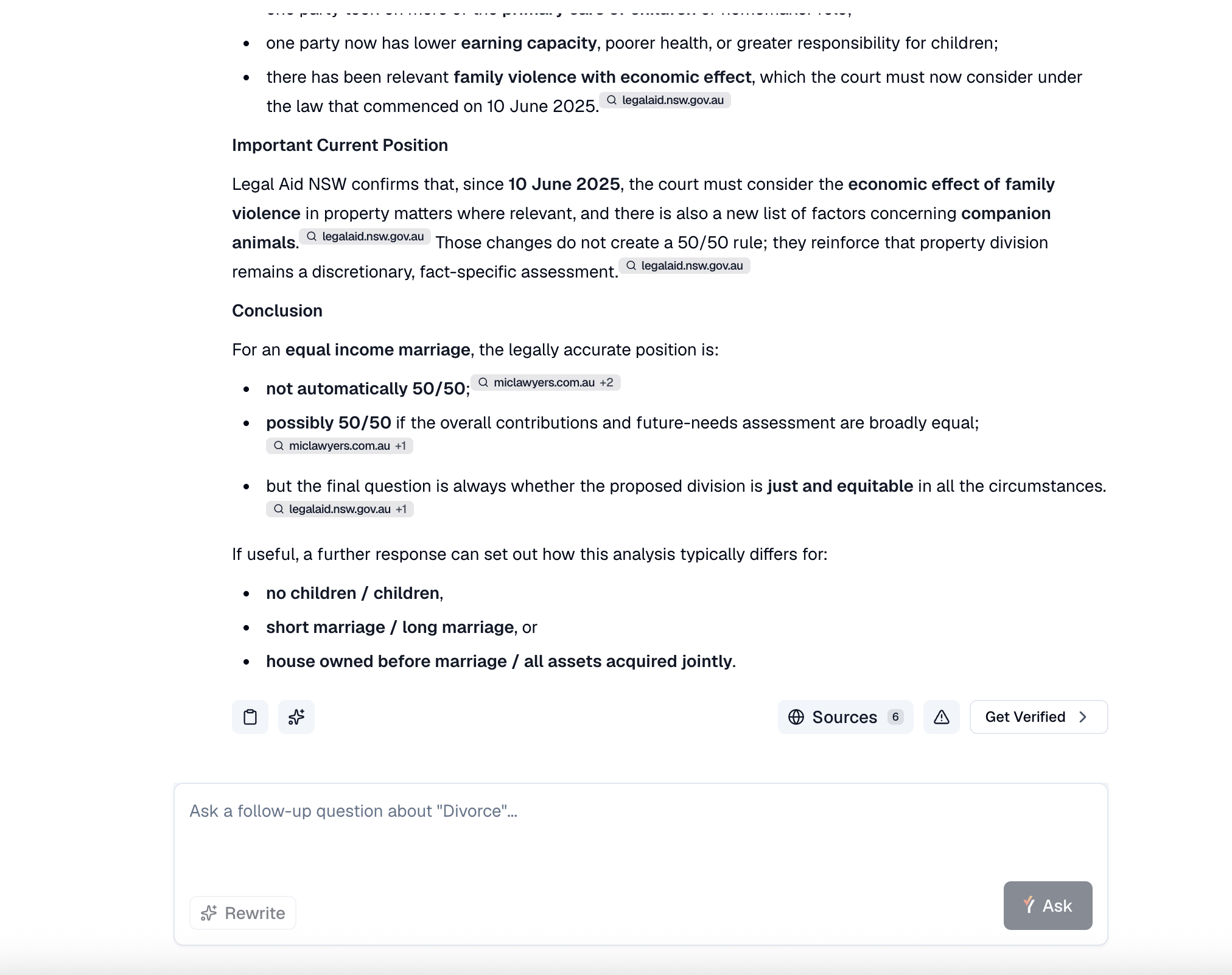
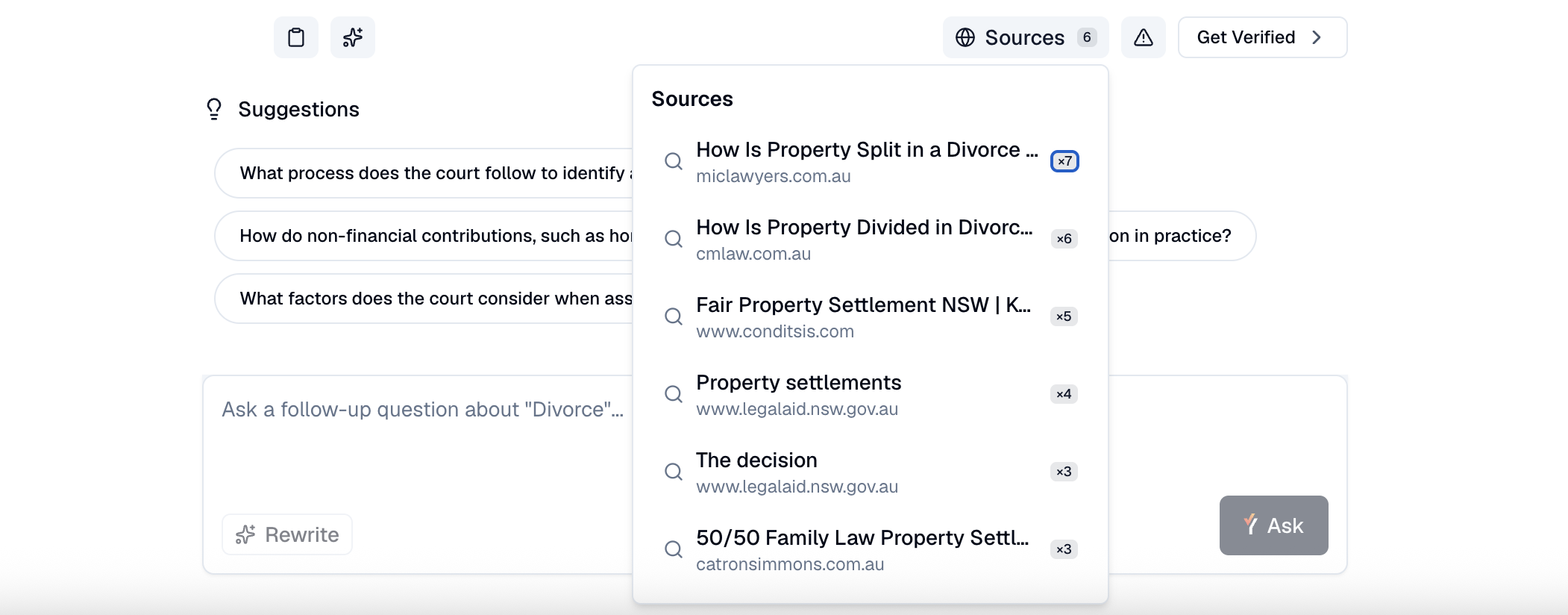
Sources: See exactly where your answers come from
Research answers now show their sources in a new, streamlined location. Previously, LawY displayed a "Resources" section at the end of a response, but it wasn't a complete picture and took extra time to generate. We've replaced this with something more useful: answers now include numbered inline citations.
- See exactly which source supports each point as you read
- View a sources panel at the bottom of each response listing everything cited
- Open and read any referenced legal document directly from that panel
For older conversations opened after this update, sources will still be shown but inline citations will only appear in new conversations going forward.
The "New" button in Research is simpler
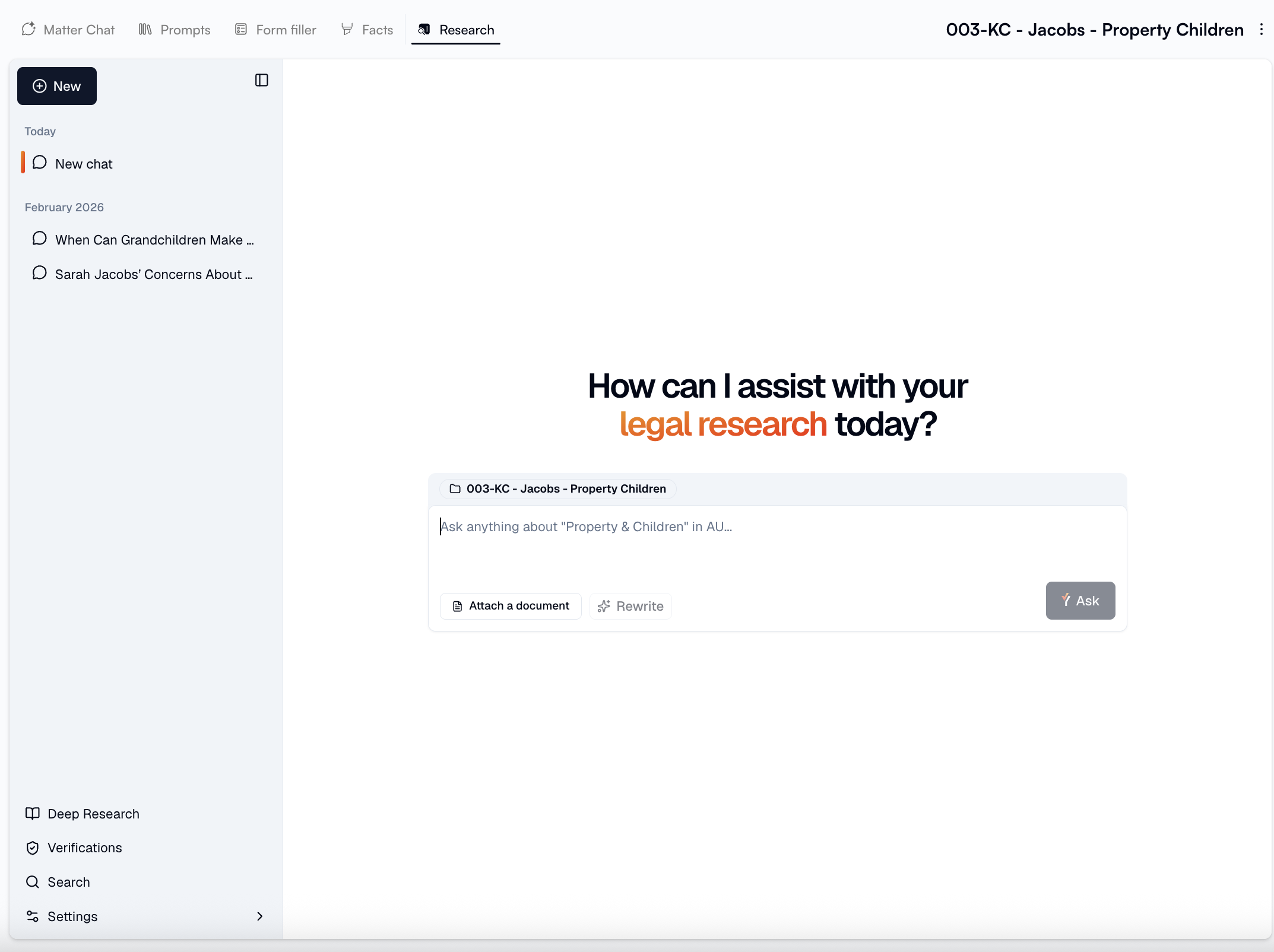
The New button now does one thing: it starts a fresh research conversation for the matter you're already working on. That's it. To create a new matter or switch between matters, head to the Matter List in the main menu the same place you've always managed your matters, now the one place for it.
If you want to start a new research conversation, click as usual. If you need to create or jump to a different matter, go to the Matter List.
Attach matter documents directly in Research
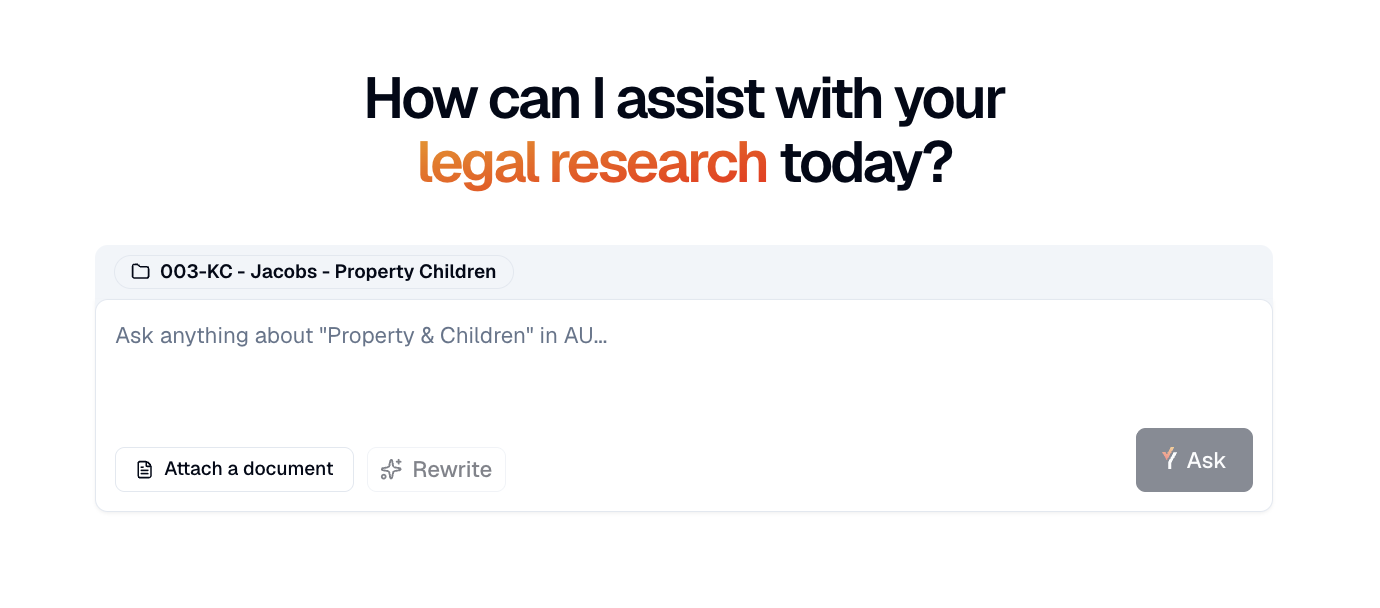
You can now attach a document from your matter directly into a Research conversation as context. When you click attach a document, LawY will pull from the files already linked to that matter no uploading from scratch, no switching tabs.
This means your research questions can reference the actual documents you're working with, giving you more relevant, matter-specific answers straight away.
*Please note: this feature is only available on a stand alone LawY subscription. If you access LawY through an integration partner, this feature will not be available to you.

What's next
Alongside everything you see in the product, our team has been doing a lot of work behind the scenes strengthening the foundations that power LawY and laying the groundwork for what's coming next. It's not always the visible stuff, but it's what makes the exciting things possible. We can't wait to show you what we've been working on in the upcoming months!
More From The Blog